


[Playbook] Strengthening Commercial Deposit Strategy with Unify’s Merchant Capture Capabilities
Here’s the Situation: Corporate and merchant clients demand enterprise grade digital deposit capabilities that support complex cash management operations without compromising speed, security, or operational control. For businesses handling high volumes of checks across multiple locations, remote deposit capture is a critical tool for accelerating funds availability, improving reconciliation, and reducing reliance on branch visits to manage daily cash flow.
Unify’s merchant capture capabilities are purpose-built to support corporate and commercial deposit clients. Through a secure, web-based interface, businesses can scan and transmit check images from virtually any location, directly to their financial institution. This streamlined, enterprise grade workflow accelerates deposit processing, improves funds availability, and enhances day to day liquidity management. In turn, banks and credit unions benefit from Unify’s robust commercial deposit features, including:
- Support for virtual and physical endorsements on checks
- Automated item archival, research, and reporting
- Customizable business rules and permissions tailored to each account
- User-level controls for deposit limits and transaction volumes
- Broad scanner compatibility, including IP‑addressable scanners
- Support for all major browsers, including Chrome, Chromium Edge, Firefox, and Safari
- Cross-platform availability for both Windows and Mac OS environments
- On‑screen or printed deposit summaries, with multiple supported export file options
Built-in endorsement capabilities enable businesses to maintain compliant deposit practices regardless of where checks are captured. Whether deposits originate from a centralized accounting office or a distributed network of merchant locations, endorsement requirements can be enforced consistently, which help institutions reduce operational risk and simplify compliance for their commercial clients.
Security remains foundational. Unify's seamless integration with OpenAuth, SAML, and federated Single Sign-On (SSO) allows institutions to enforce role-based access and authentication policies across users, locations, and deposit workflows, without adding friction for commercial clients.
Here’s how it works in action:
Play #1 – Merchant Submits a Deposit
A corporate or merchant user logs into their online banking portal and selects the deposit capture option. Once successfully authenticated, the user will be redirected to the deposit interface that allows them to:
- Select the appropriate account
- Capture front and back images of each check
- Review prompts to ensure items meet configured requirements
- Submit the deposit for processing
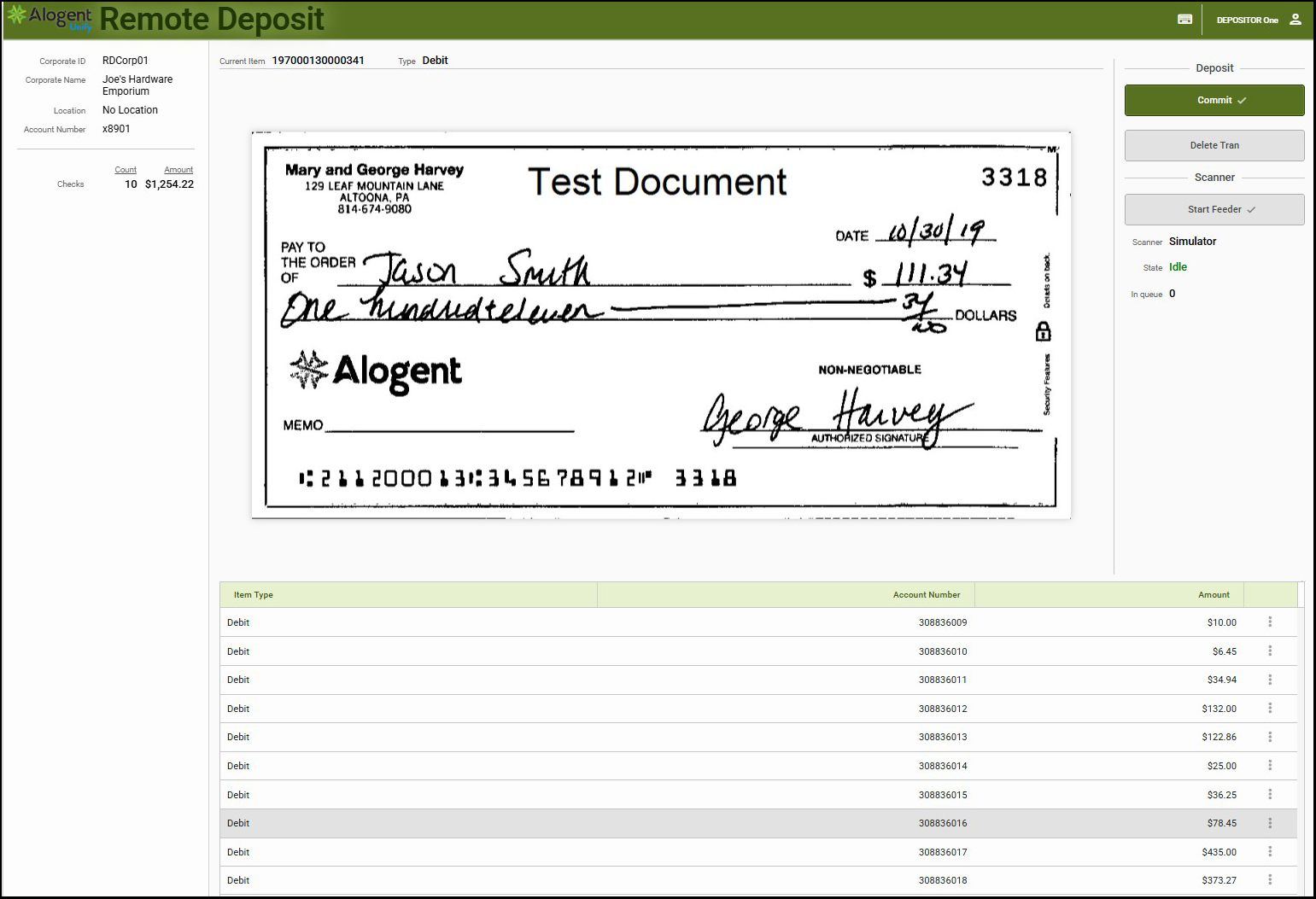
During this process, institutions can ensure that endorsement requirements across merchant locations are met before items are transmitted.
Game Plan
Step 1: Image and Validation
As each check is captured, Unify immediately begins validating negotiability and compliance through layered controls including image quality analysis (IQA) and image usability analysis (IUA). The validation occurs in two ways:
- Fraud Mitigation
- MICR codeline detection and validation
- Amount verification
- Duplicate detection with support for up-to-180-day history checks
- Codeline Validation: Codeline values are assessed against the internal business rules engine. Common validation failures include:
- Illegible characters (e.g., "?" or other invalid characters in the MICR line)
- Partial or missing routing numbers
- Missing account numbers
- Missing check numbers or dollar amounts
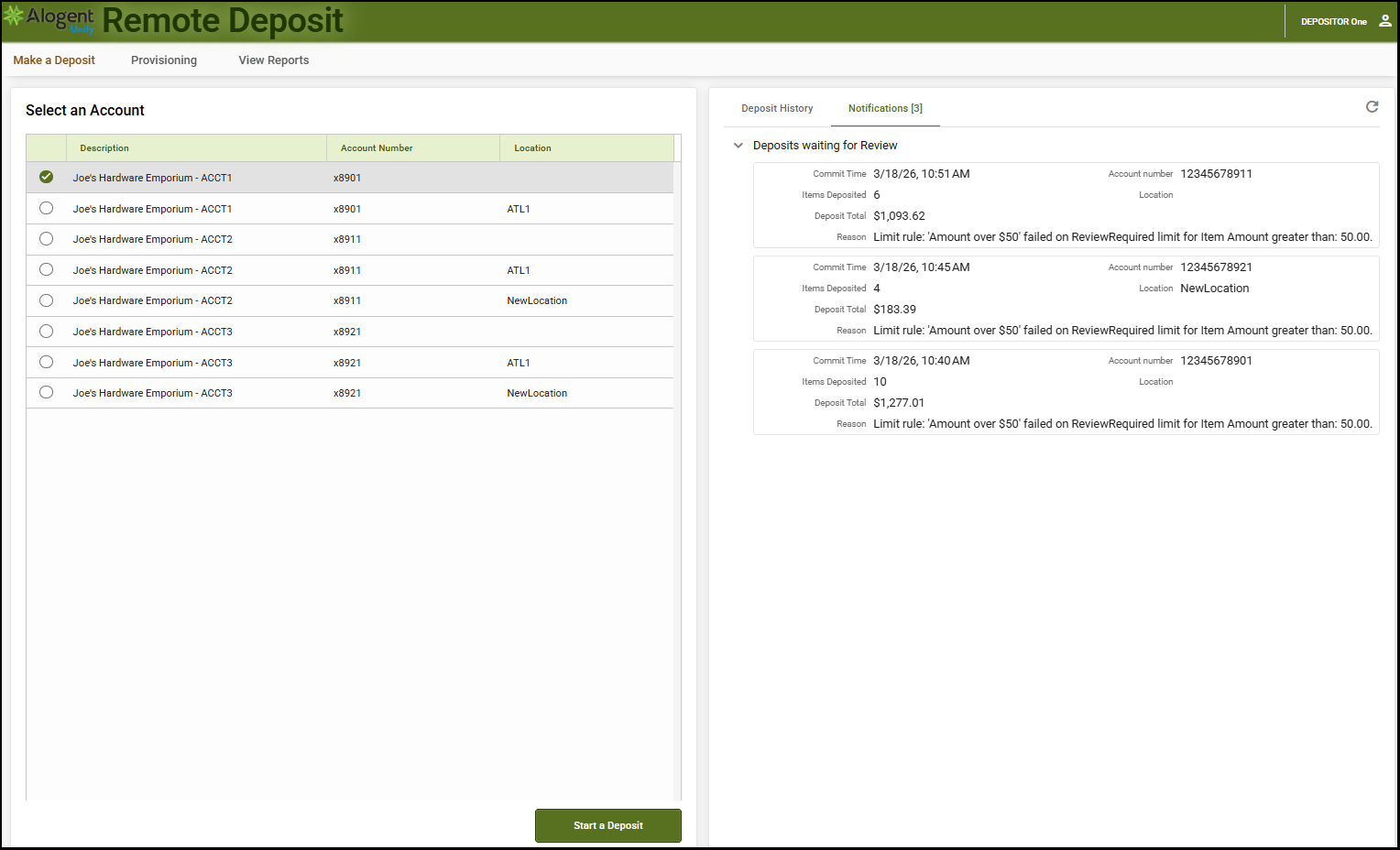
In addition to these automated checks, validation against configured business rules help ensure that each item meets institutional policies before processing, further reducing the risk of returned items or downstream processing delays.
Step 2: Deposit Limit Enforcement
Submitted transactions are evaluated against predefined deposit limits and exposure thresholds. Items exceeding configured rules can be automatically rejected or routed for review, depending on configured policy.
Play #2 – Core Posting
Once reviewed and approved, merchant deposits are prepared for posting to the core system. Institutions can configure posting workflows to align with their operational preferences and core capabilities. Depending on a bank or credit union’s chosen core and the mobile provider, posting can be completed in real-time or by batch.
Game Plan
Step 1: Real-Time Core Posting
Unify can connect directly to the core for the purpose of real-time posting. Users are provided with visibility into posting activities, including confirmation or error messaging that allows for timely resolution.
Step 2: Batch Posting
For institutions leveraging batch workflows, Unify supports automated generation of posting files formatted to meet a core’s specifications. Batch files can be configured based on timing, dollar thresholds, or item volume.
Step 3: Finalize and Confirm the Deposit
Deposits are automatically totaled and balanced, and any unbalanced batches are prevented from being submitted. If a check is rejected, the user is prompted to re‑scan or remove it before proceeding. Once all items are accepted, the system confirms successful image transmission and later notifies the user when the bank or credit union has approved the deposit. All check images and deposit details remain available for research and export into third party solutions like accounting systems.
Explore More: Accelerating Commercial Cash Flow with a Unified Deposit Experience
By providing a fast, intuitive, and fully digital experience, financial institutions position themselves as modern and trusted partners for corporate and merchant clients, strengthening account holder loyalty while keeping users engaged with the institution’s payments ecosystem. Modernized corporate capture solutions accelerate reduce float time, accelerate cash flow, and improve liquidity outcomes for both the institution and its depositors. A modern, web‑based RDC solution extends this value even further by offering the flexibility to scale business growth while backed by built-in fraud mitigation capabilities. Centralized digital capture and endorsement from any location and faster funds availability through balanced deposits reduce physical branch traffic and operational overhead across the entire institution.
Merchant Capture is one component of the broader Unify platform, which also supports branch capture, remote deposit and mobile capture, ATMs/ITMs and self-service kiosks, and back-office processing. By centralizing all deposit workflows within a single, configurable platform, Unify enables greater operational consistency, enhanced risk oversight, and a scalable foundation designed to support long-term commercial growth.
With Unify, financial institutions can deliver the digital flexibility today’s corporate clients expect, while reducing operational overhead and maintaining the governance, security, and regulatory controls required in today’s regulatory environment.
Read: Check Fraud, 4 Strategies to Keep Commercial Accounts Safe
Contact us to request a demo of Unify
Be the first to know! Click below to follow us on LinkedIn for news and content updates!