

[Playbook] Loan Management: Efficiently Manage Notices
Here’s the situation: Your financial institution is looking for a better way to generate, send, and track notices. Although notices serve as an essential form of communication with account holders, managing notices can involve considerable administrative work for loan assistants, insurance clerks, and other staff. This article shares two plays for streamlining your notice workflow with Alogent’s process automation solution, AccuAccount.
Play #1: Print Your Notices
Let’s imagine that you’re a loan assistant tasked with distributing notices to customers of a specific commercial lender. Managing your bank’s documentation, exception data, and customer information in AccuAccount provides a solid foundation for leveraging the system’s notice capabilities. Instead of comparing multiple spreadsheets and manually performing mail merges, you can use AccuAccount to prepare and track your notices in just a few steps.
Here’s the Game Plan
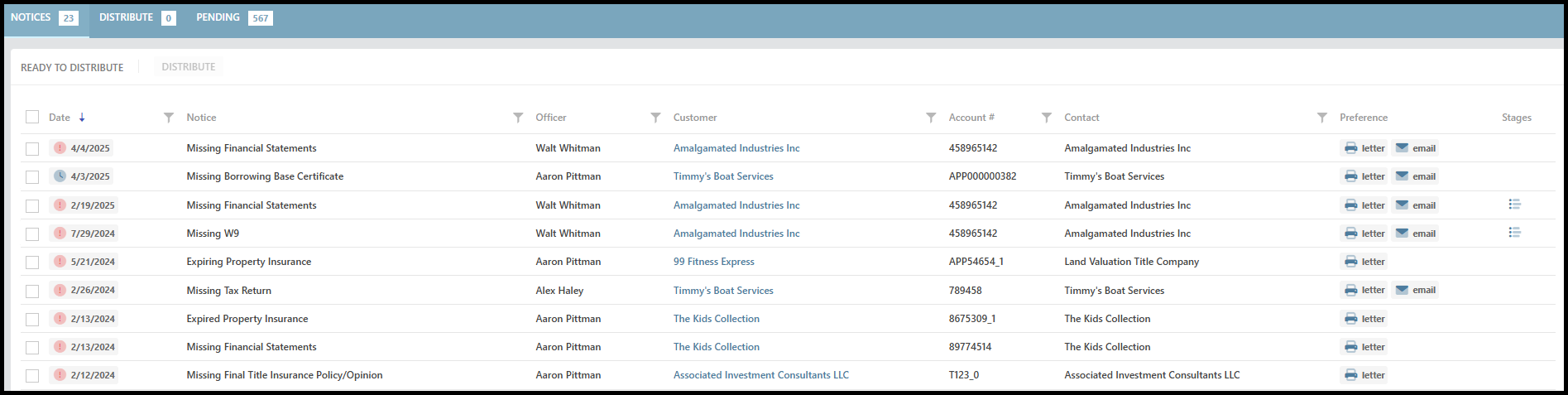
Step 1: Navigate to the notice distribution page within AccuAccount. Use filters to drill down and narrow your results.
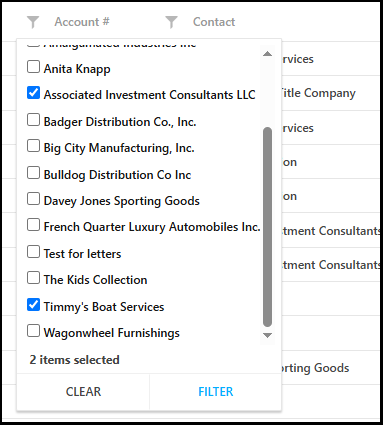
Step 2: Select those customers who should be included in the mailing. Leaving out a customer might be prudent in certain circumstances, such as if the lender plans to request documentation during an in-person meeting.
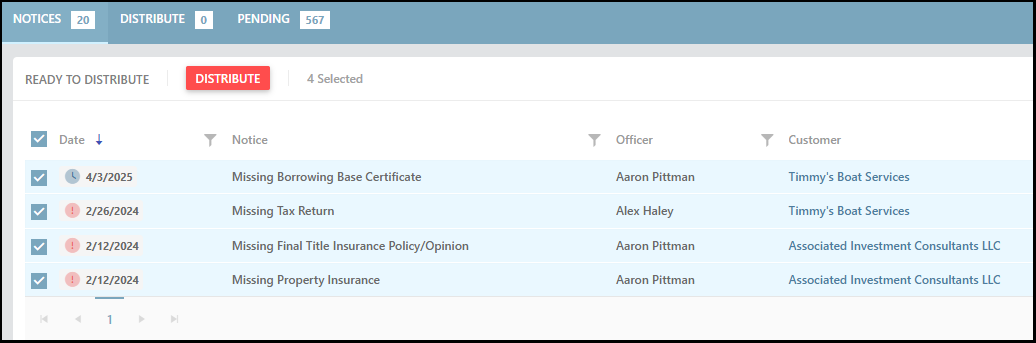
Step 3: Select all records that require notices and click the “distribute” button.
Bonus Tip: AccuAccount maintains a notice history of all printed (and emailed) notices, which provides an automated paper trail for documenting due diligence efforts.
Play #2: Email Your Notices
Printing notice letters is still very common, but a growing number of financial institutions are turning to email for increased efficiency and transparency. With email notices, a financial institution can reduce printing and mailing costs while incorporating additional functionality, such as linking to document portals.
Here’s the Game Plan
Using AccuAccount to send email notices follows the same basic process as the first play but with one noticeable difference. Prior to generating notices, simply navigate to the customer or member’s page and update the “preferred contact method” to include email.
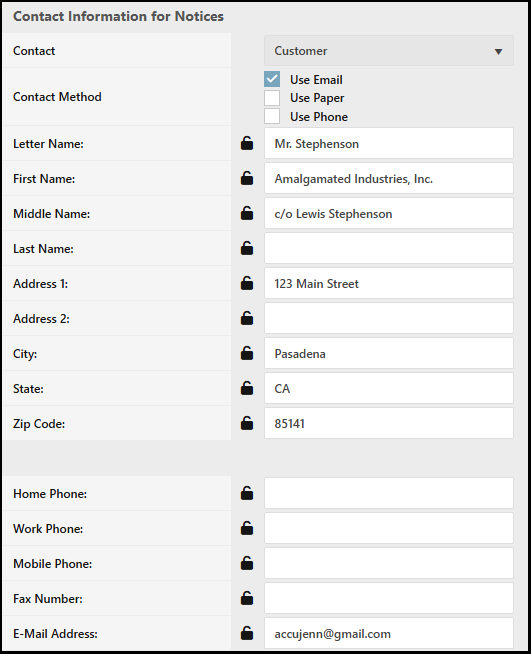
Hitting “send” in AccuAccount will distribute these notices via email and update your notice history. If you have a mixed batch of notices—some to be printed, others to be emailed—AccuAccount allows you to simultaneously complete both plays within the same workflow.
Faster Notice Prep, Efficient Outcomes
Achieving a faster, easier notice management process ultimately helps staff work through exceptions and collect missing documentation. Contact us to learn more about our notice management capabilities or schedule a personalized demo of our software.
Learn what AccuACCOUNT CAN DO FOR YOUR FINANCIAL INSTITUTION TODAY
Be the first to know! Click below to follow us on LinkedIn for news and content updates!