


[Playbook] Secure & Auditable Document Collection with Alogent Document Portal
Here’s the situation: You've outgrown email attachments, and your file-sharing system isn't keeping up. Documents are missed, processes slow down, and getting information where it needs to go takes more effort than it should. That's when Alogent Document Portal catches your attention—a secure document collection solution built specifically for financial institutions.
This article shares two “plays” for document intake with Alogent Document Portal.
Play #1: The “Standalone” Approach
Alogent Document Portal isn't limited to organizations that use Alogent's ECM solutions. The platform can be deployed as a standalone document collection solution, providing a secure, user-friendly way to gather and manage documents. Here's how it works.
Here’s the Game Plan:
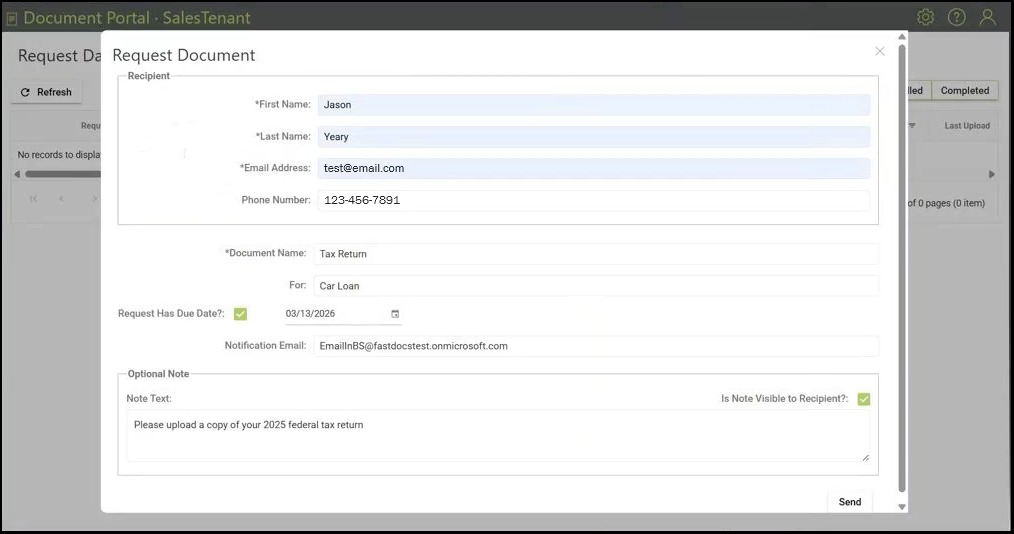
Step 1: A knowledge worker launches Alogent Document Portal, navigates to the request dashboard, and selects “Create New Request.” Recipient contact information, document name, due date, and other details are submitted.
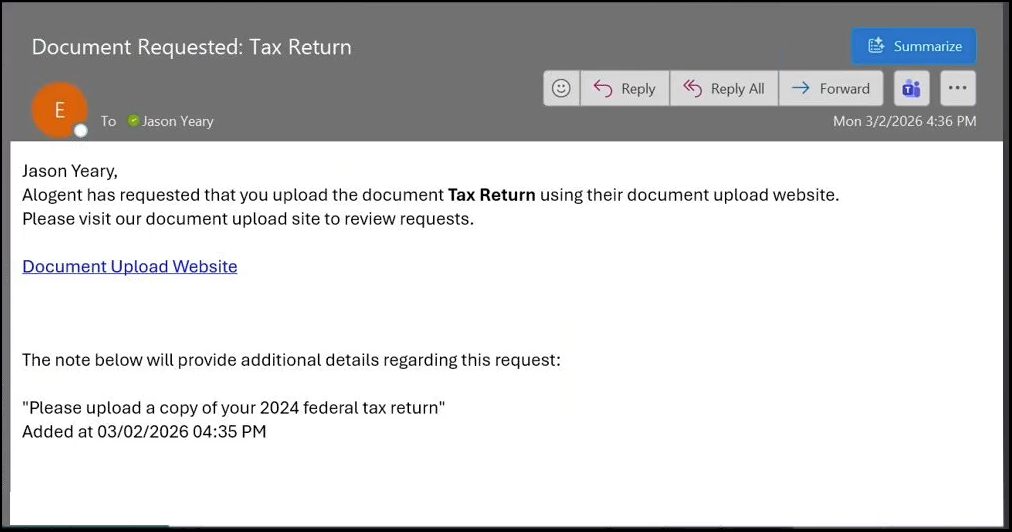
Step 2: The recipient automatically receives an email notification with instructions.
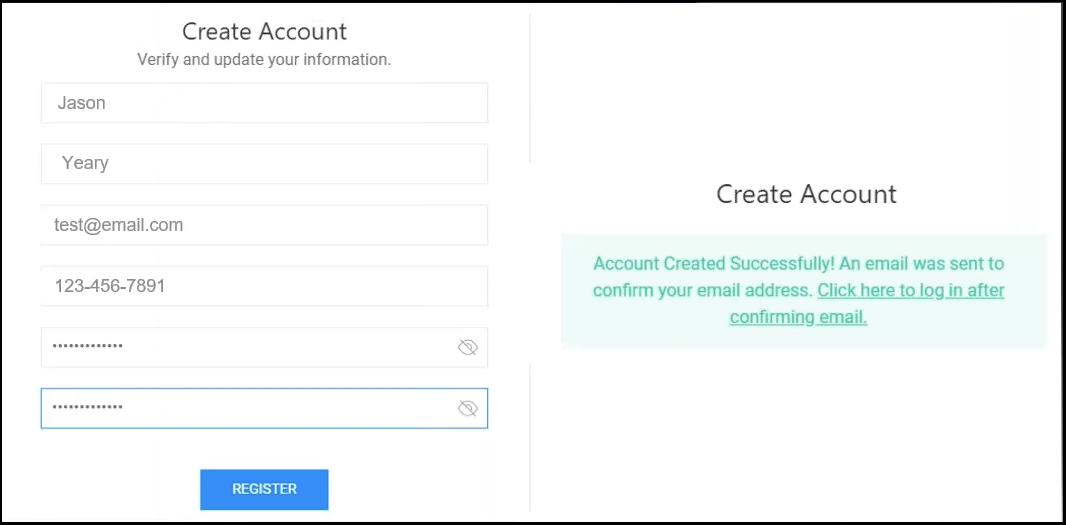
Step 3: New users are prompted to create a password-protected account prior to uploading documents.
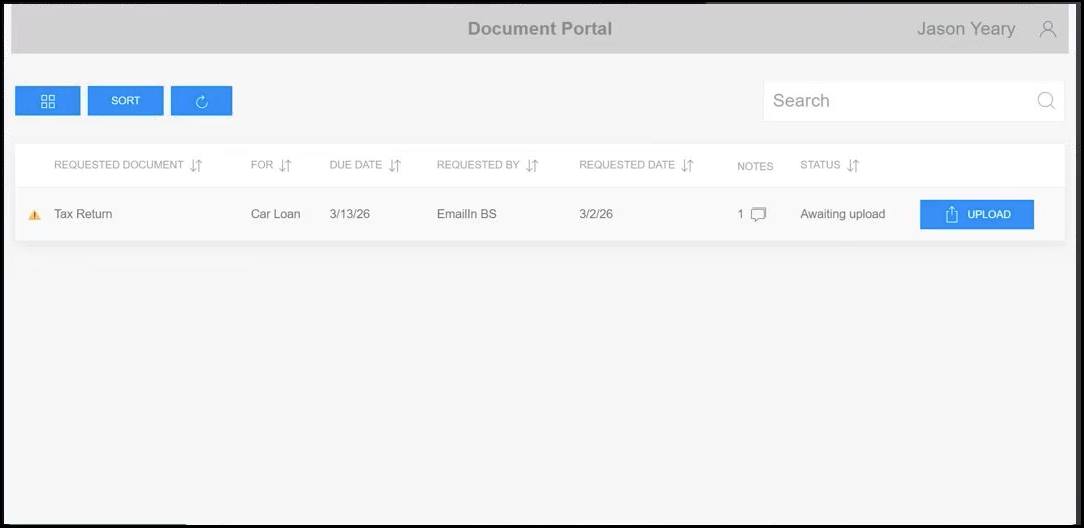
Step 4: After successfully logging in, the user uploads documents into the intuitive interface.
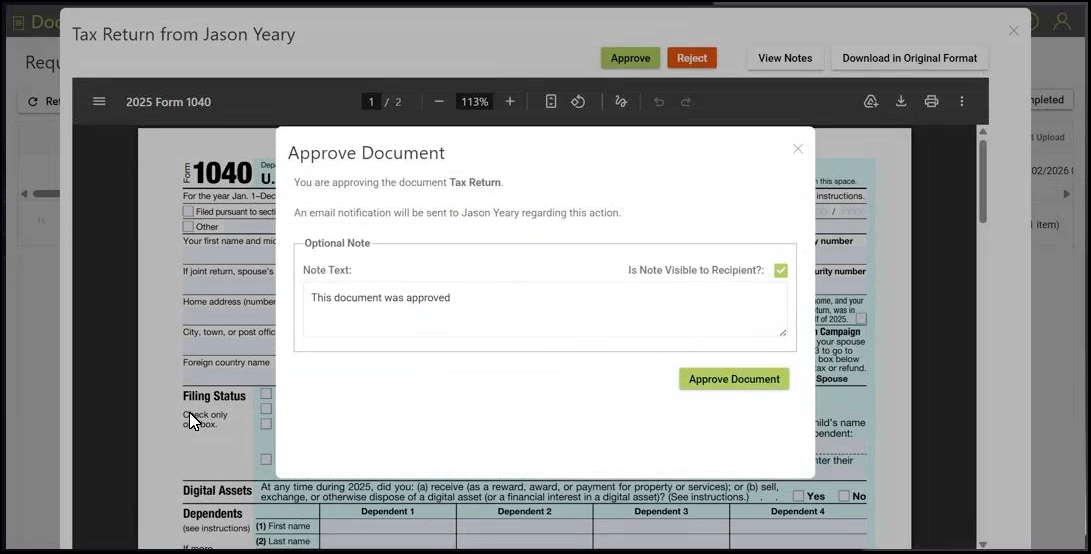
Step 5: Automated notifications alert knowledge workers about new documents. Approving (or rejecting) an item is a straightforward process.
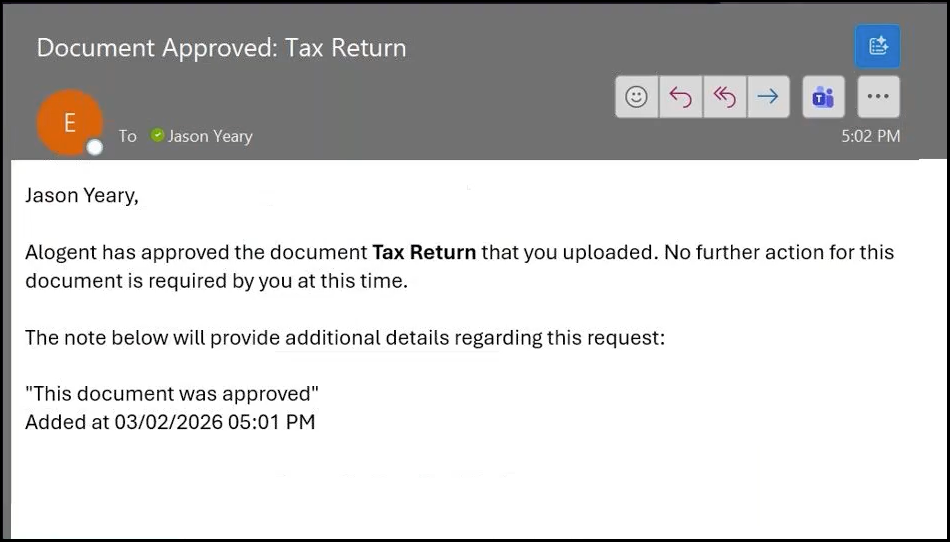
Step 6: To close the loop, the document provider automatically receives an approval confirmation via email.
Play #2: The “Integrated” Approach
Through an API connection, Alogent Document Portal can be configured to integrate with a variety of banking technologies. Users of Alogent’s ECM software can also take advantage of native integrations with FASTdocs and AccuAccount. Our FASTdocs integration is spotlighted in the following steps.
Here’s the Game Plan:
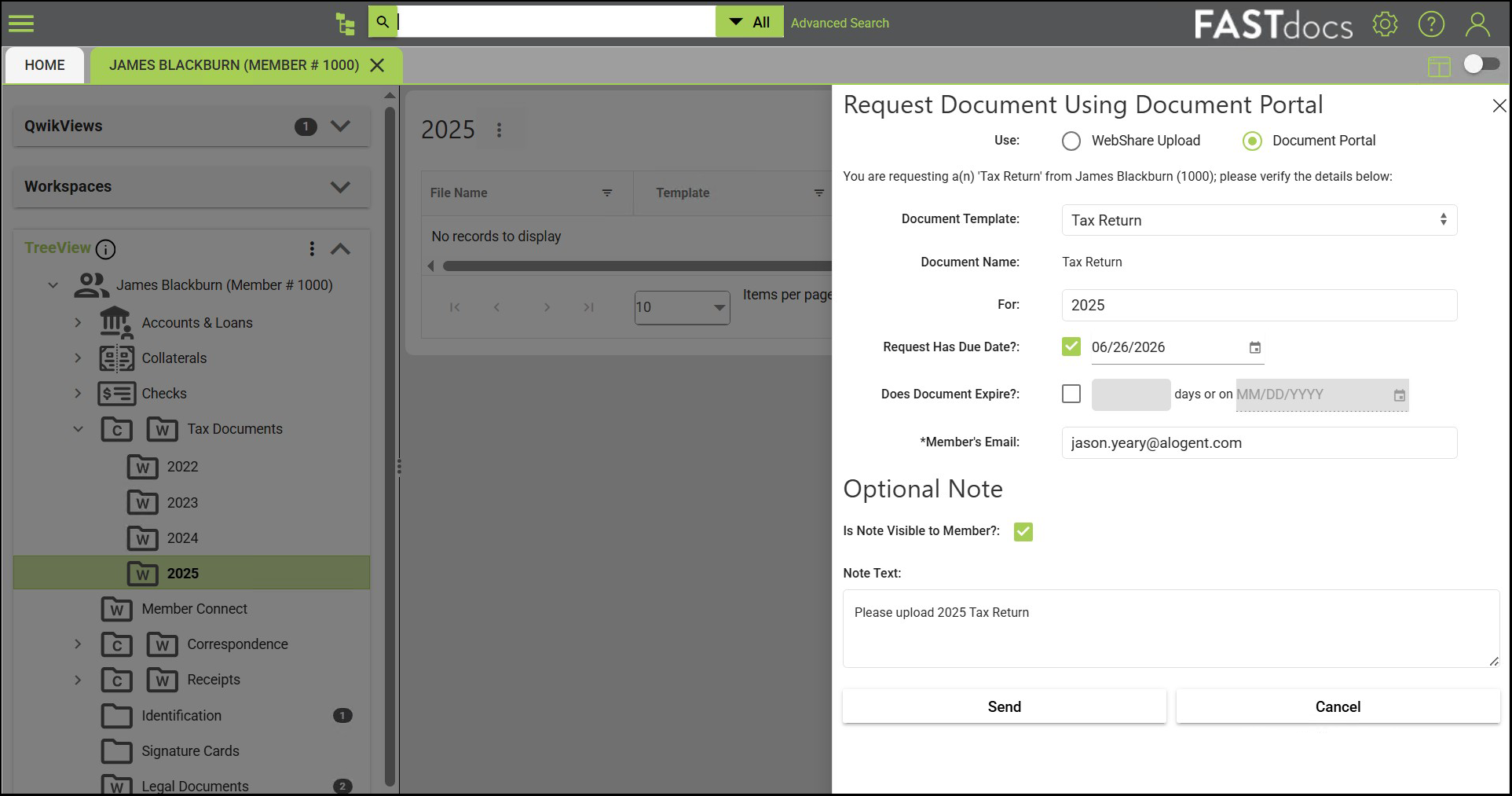
Step 1: Rather than accessing Alogent Document Portal separately, employees can initiate document requests directly from FASTdocs. In this example, a knowledge worker needs an account holder's tax return. With just a few clicks, they can send a secure document request, simplifying the collection process and accelerating response times.
Step 2: The account holder receives an email notification and uploads the requested documentation (as outlined in the first play).
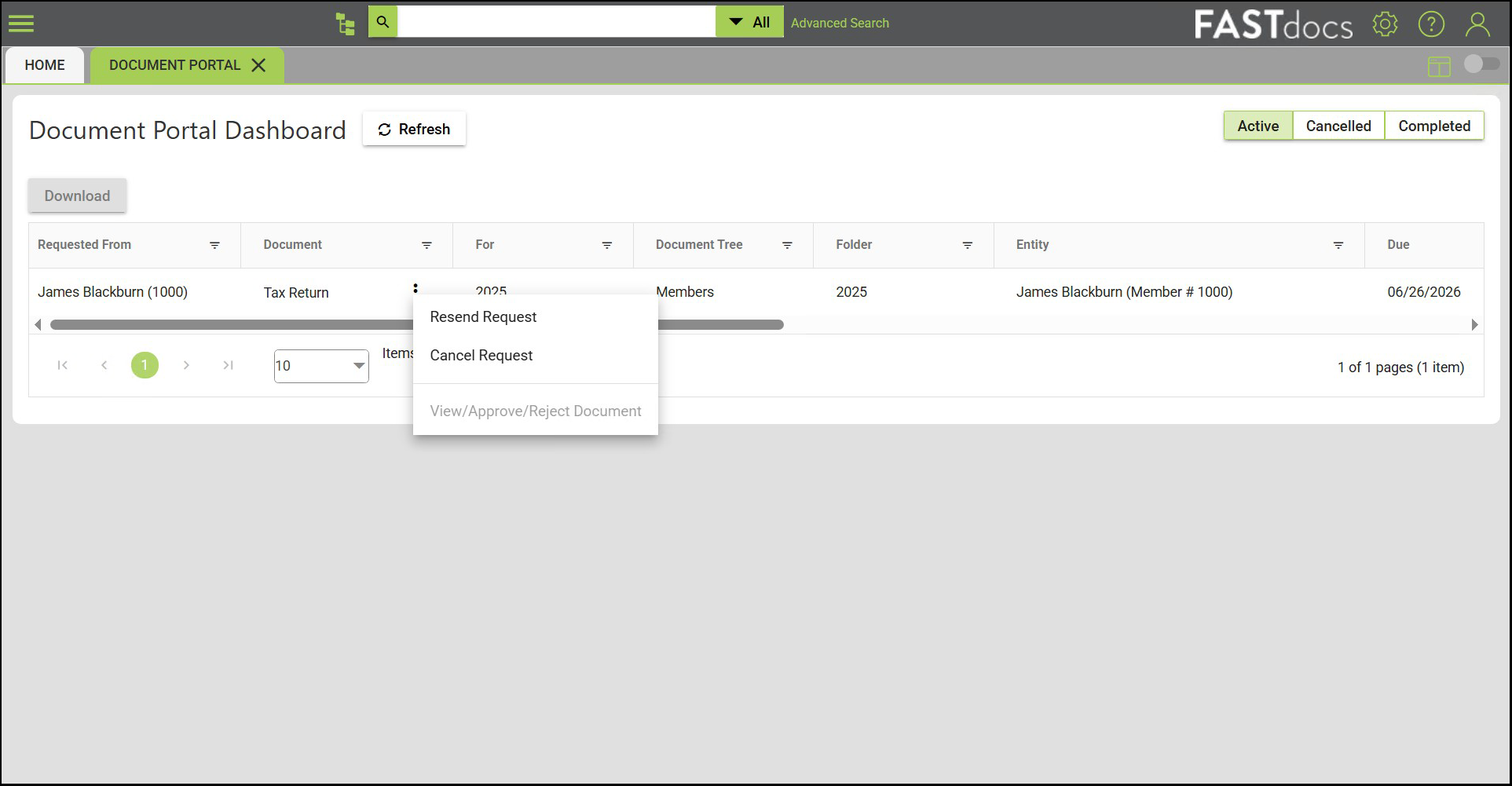
Step 3: Staff view, approve, and reject documents via the FASTdocs dashboard. No need to jump between multiple tools or manually organize files.
Streamline Document Collection
Looking for a structured, secure way to collect and manage electronic documentation? Contact us to discuss Alogent Document Portal and available integrations.
on-demand demo: Alogent Document Portal from the Employee Perspective
Self-Assessment: Does your institution have a modern document collection process?
Be the first to know! Click below to follow us on LinkedIn for news and content updates!