


[Playbook] Automating Document Retention with FASTdocs
Here’s the situation: Your financial institution is looking for a more efficient and effective approach to document retention. Continued reliance on spreadsheets and manual workflows no longer seems viable, which is why you’re investigating automated document retention in FASTdocs. This playbook article shares three steps for leveraging this powerful capability.
Here’s the Game Plan
Step 1: IT is usually a primary stakeholder in the implementation of an ECM system like FASTdocs. Prior to enabling any automated retention features, however, your IT leaders should work closely with compliance to understand your financial institution’s unique requirements. Purge rules may vary considerably depending on document type and other factors. Close alignment between IT and compliance is therefore essential.
Step 2: Having gained a clear understanding of your institution’s requirements, IT staff can begin implementing the retention policy into FASTdocs. Features that impact retention in FASTdocs include:
- Document templates: With document templates, financial institutions can automatically apply indexing and retention information as items enter FASTdocs. Build as many document templates as you need.
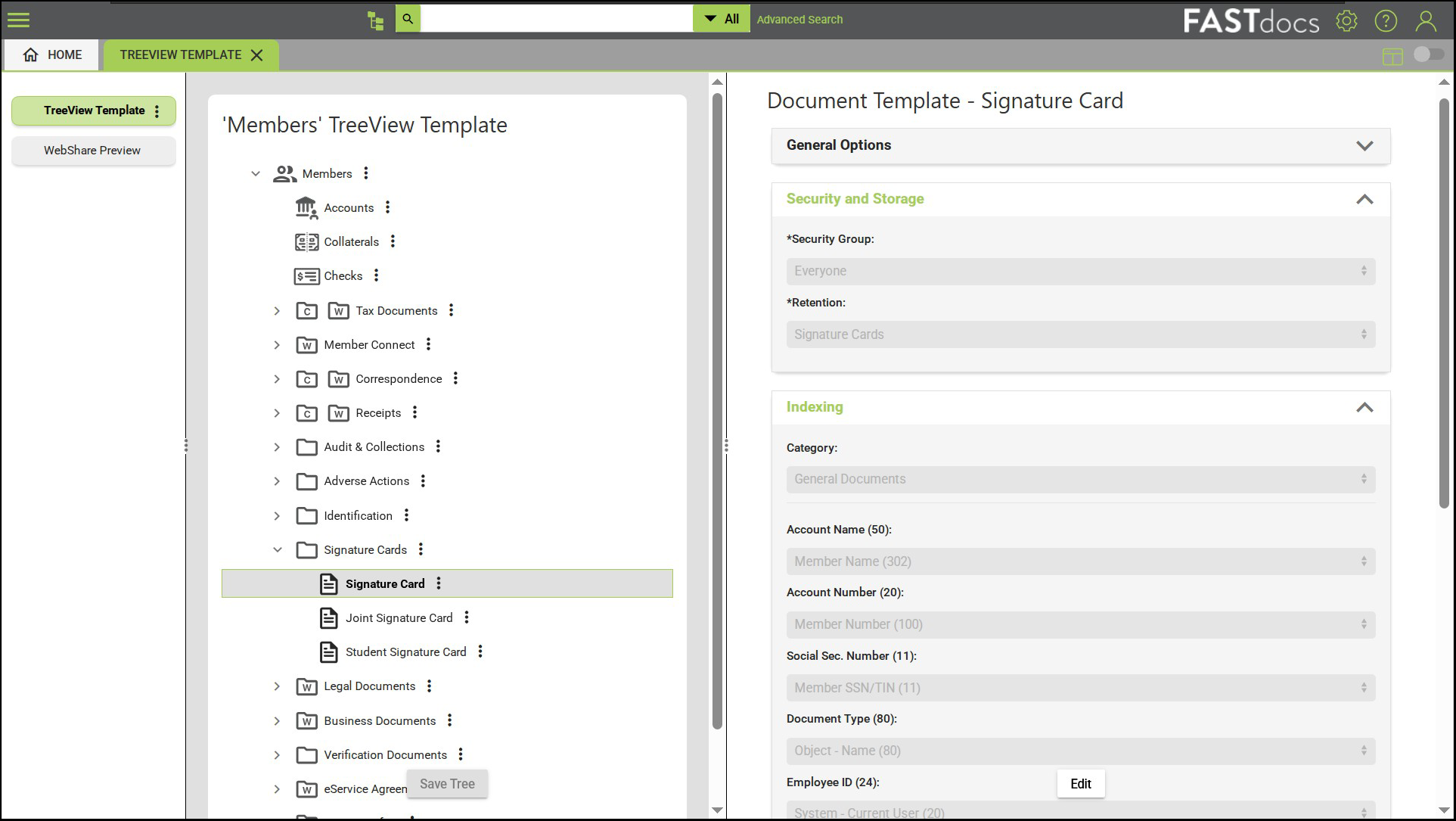
- Retention rules: Each document template in FASTdocs can have a different retention period and purge criteria, offering enhanced flexibility and control. The days of maintaining complex retention spreadsheets could finally be over!
- Automated nightly purge: FASTdocs automatically checks for and removes documents that are beyond their specified retention thresholds. Purge typically runs on a nightly basis (while most of your team is still sleeping.)
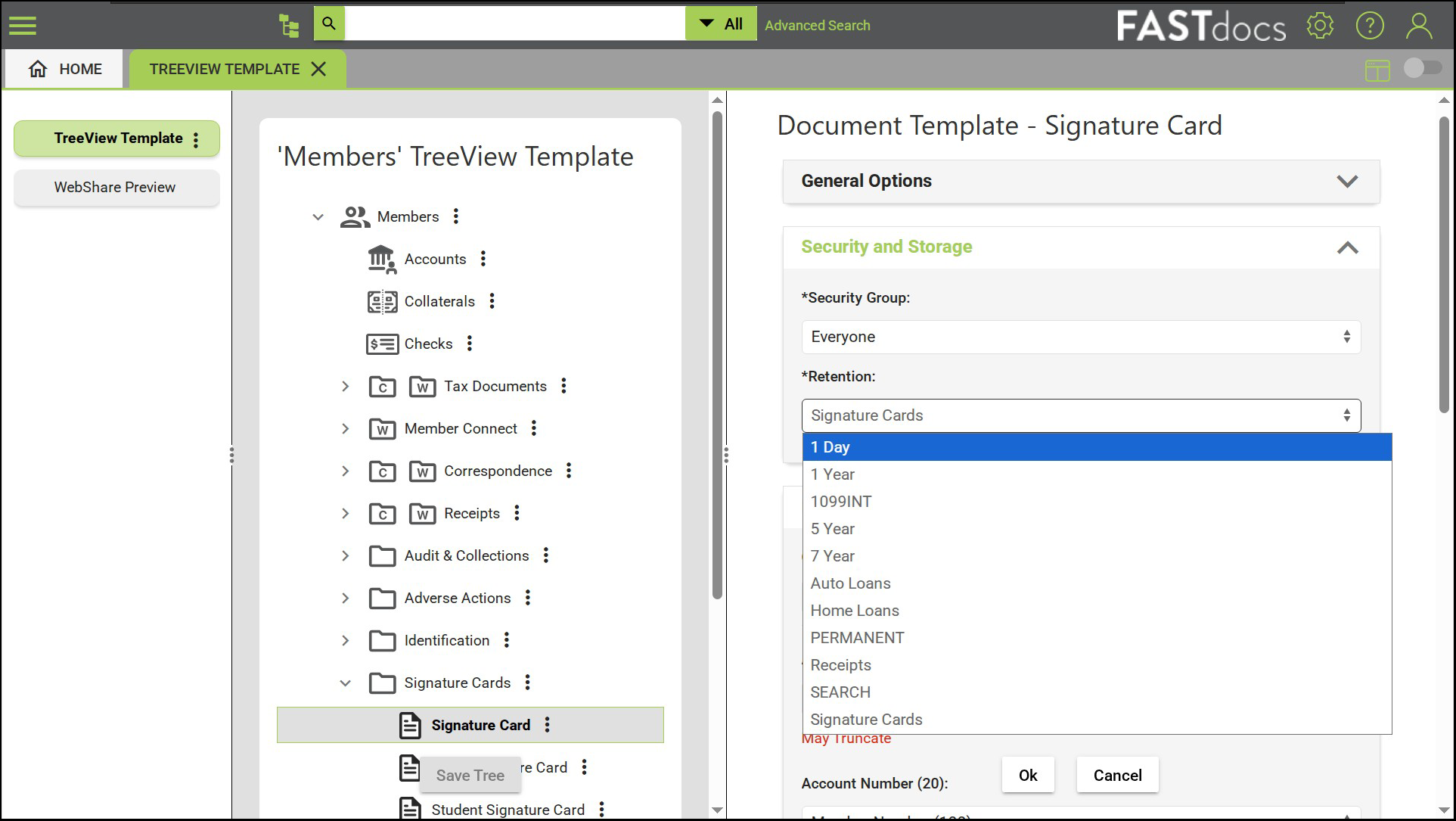
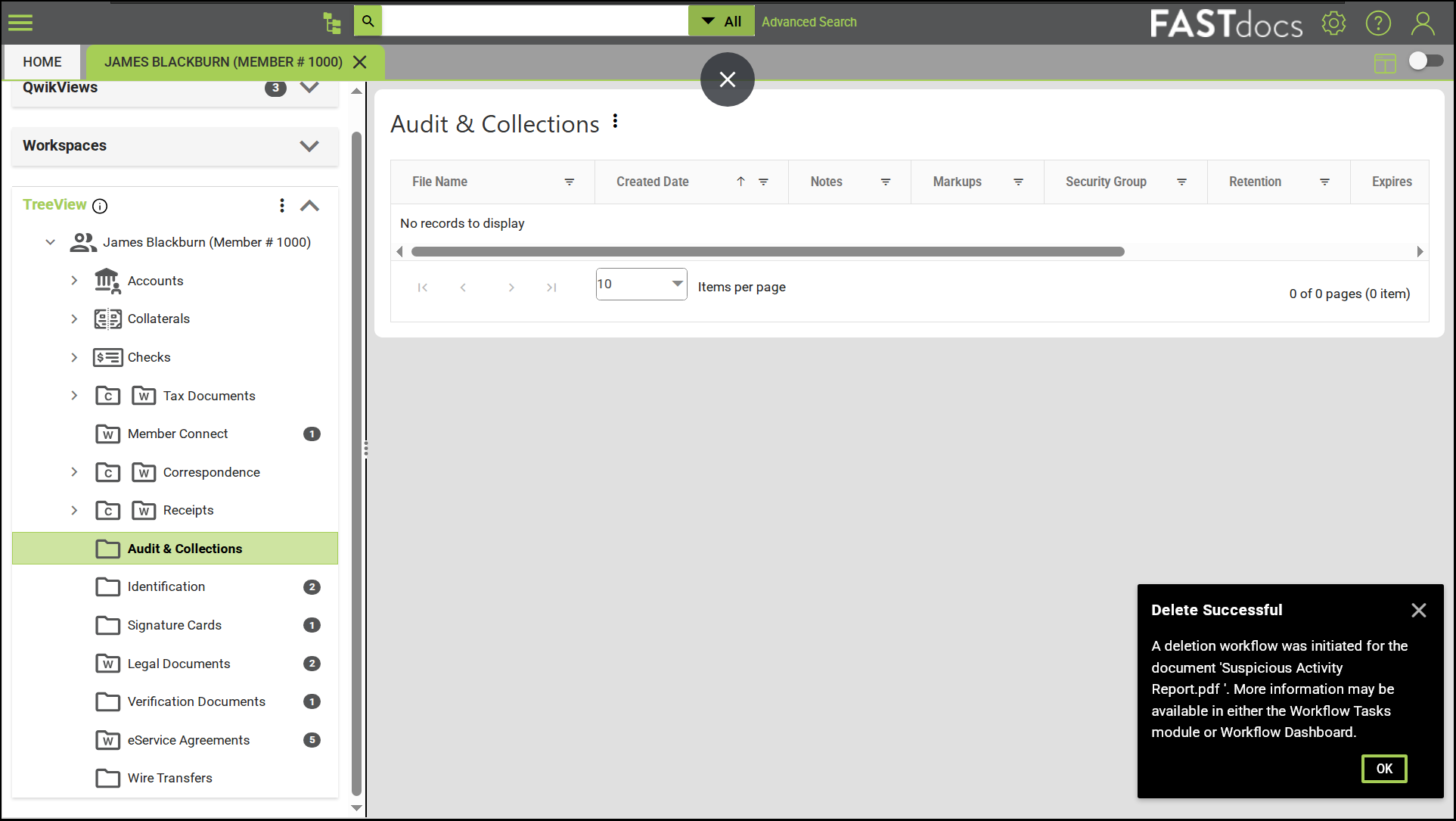
- Deletion review workflows: Team members can also manually delete items from FASTdocs. Event-driven workflows keep supervisors informed about sensitive documents that were flagged for deletion.
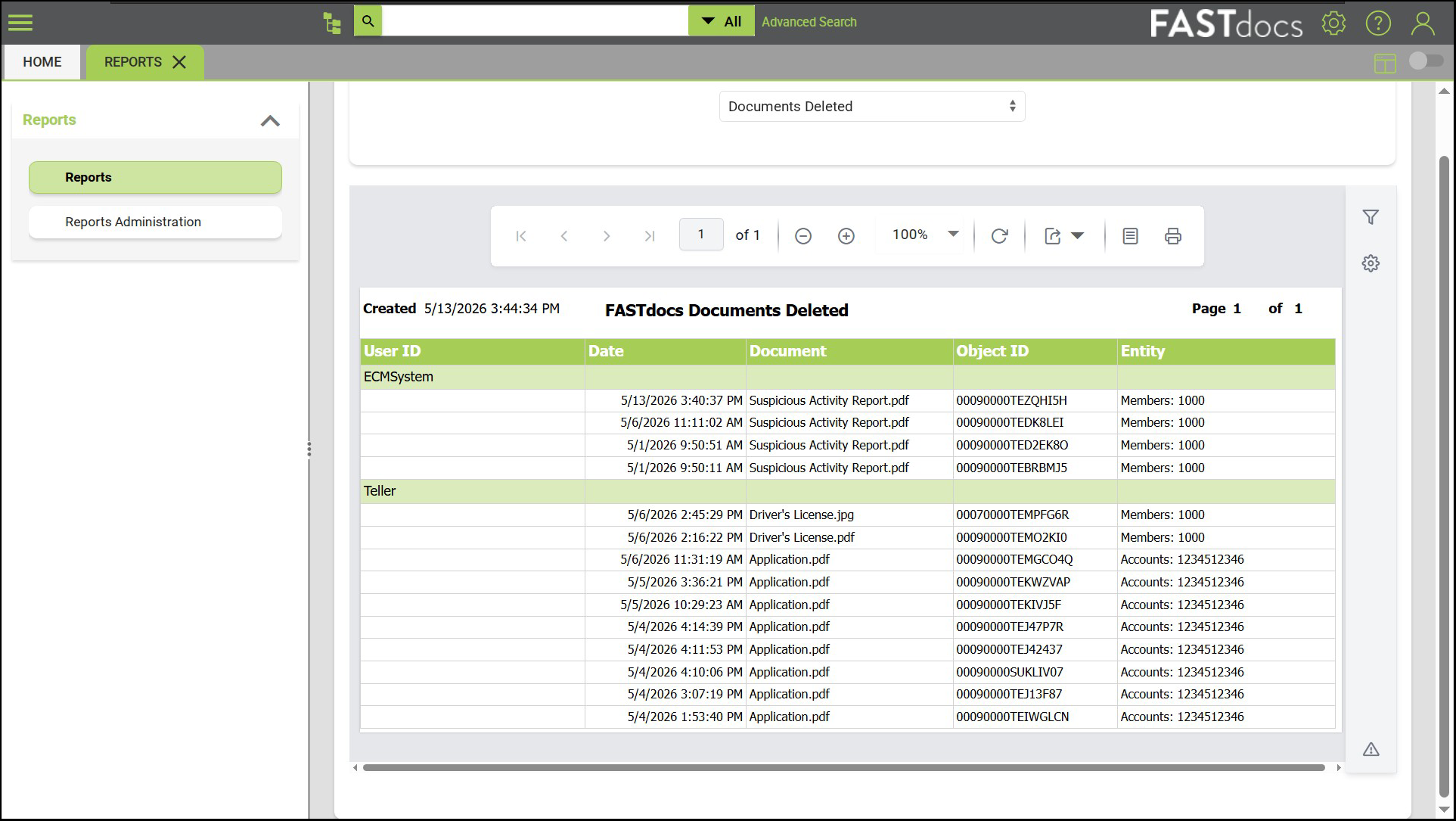
Step 3: Once everything is configured to your specification, it’s time to go live with automated retention in FASTdocs. Rules get applied as new items arrive, existing documents get purged in accordance with your policy, and your team spends less time on retention administration. Want to check what was deleted? Simply run a deletion report in FASTdocs.
Streamline Document Retention
Interested in learning more about Alogent’s document retention solutions for financial institutions?
Contact us to schedule a demo or discovery call
Be the first to know! Click below to follow us on LinkedIn for news and content updates!
This article is for informational purposes only and is not to be taken as guidance or advice for your institution. Seek appropriate legal and compliance counsel before making decisions about retention.