


[Playbook] Automatically Classify Documents with Index Values and AI
Here’s the situation: Your financial institution relies on built-in OCR (optical character recognition) features in FASTdocs to efficiently classify documents. The number of incoming documents keeps growing, but adding headcount to keep pace isn’t in this year’s budget. Recently, you’ve learned about classification automation capabilities in FASTdocs. This article discusses two ways to automatically classify documents in FASTdocs.
Play #1: Using Index Values
When it comes to content management, index values are pieces of metadata that provide important information about specific documents. Loan origination systems (LOS), document preparation platforms, eSign technology, and other banking systems provide this type of metadata in several ways:
- Standardized File Naming Structure, such as when a source system predictably includes the document type in output files (i.e., “Mortgage_Promissory_Note”).
- Index Text File, which may contain supplemental information about the document, loan, account, collateral, customer, or member.
- In-Document Index Values, such as indexing information that must be extracted from a specified region within a text-based document.
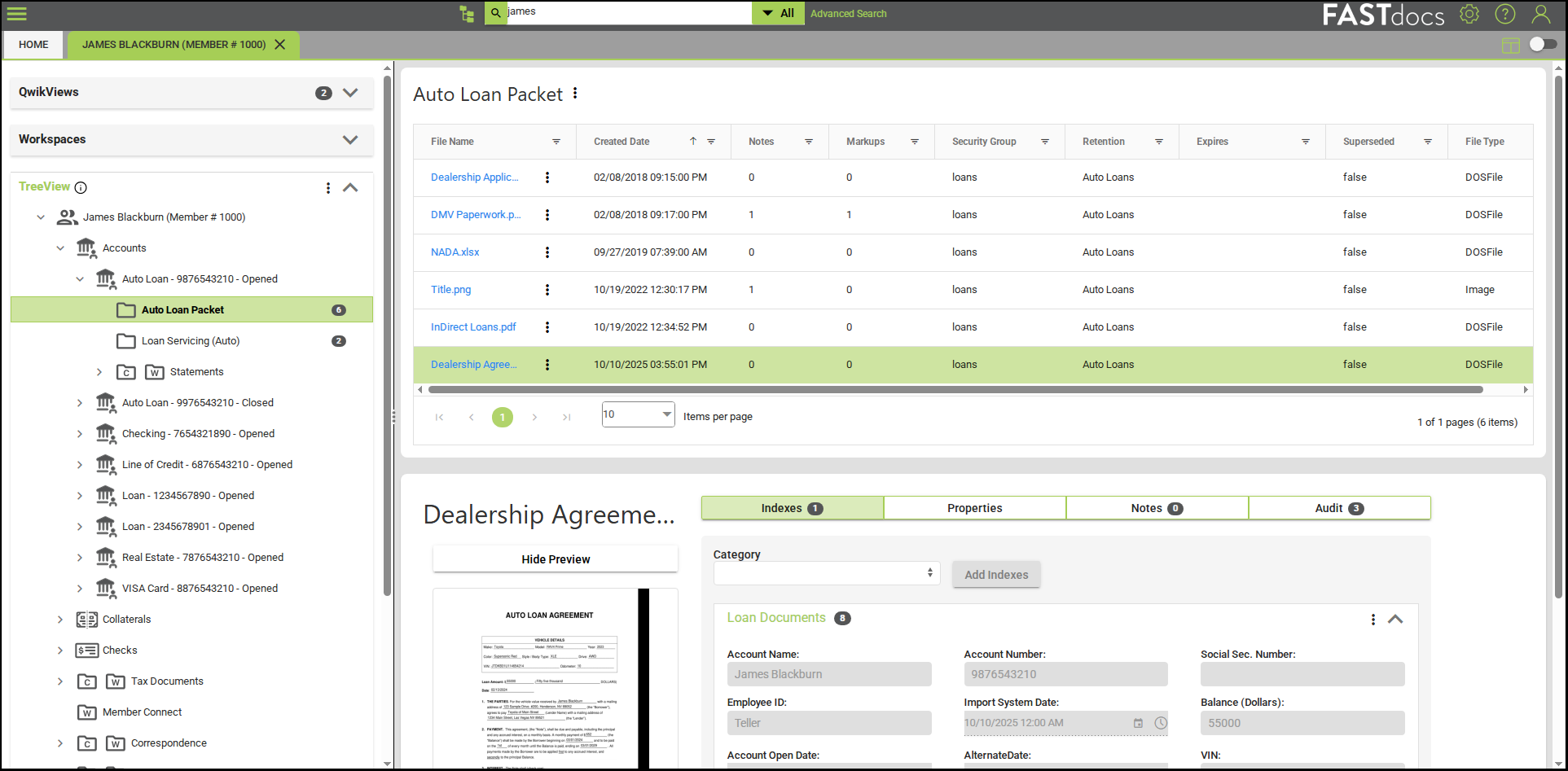
FASTdocs can support any of these scenarios, thereby streamlining your document indexing process. Connecting FASTdocs to your LOS, for example, could expedite the flow of loan documents and indexing information. Instead of downloading files from your LOS and dragging and dropping, FASTdocs uses indexing information to associate new documents with the correct borrower and document folder—with a turnaround that’s close to real time.
Play #2: Leveraging AI Classification
Not every source system is optimized to provide structured indexing information about documents. Take, for example, a general purpose document portal that enables customers or members to securely upload their annual tax returns. File naming structures and tax file contents are bound to vary among account holders, which adds complexity. Likewise, incoming invoices can look considerably different depending on the vendor and may include a diverse range of data about the goods or services provided.
Variability and lack of standardization are logical use cases for AI classification in FASTdocs. Rather than configuring index-based report templates in FASTdocs, your system administrator can opt for “AI classified enabled.” Once enabled, the AI classification engine in FASTdocs analyzes submitted documents and organizes them with minimal administrative effort.
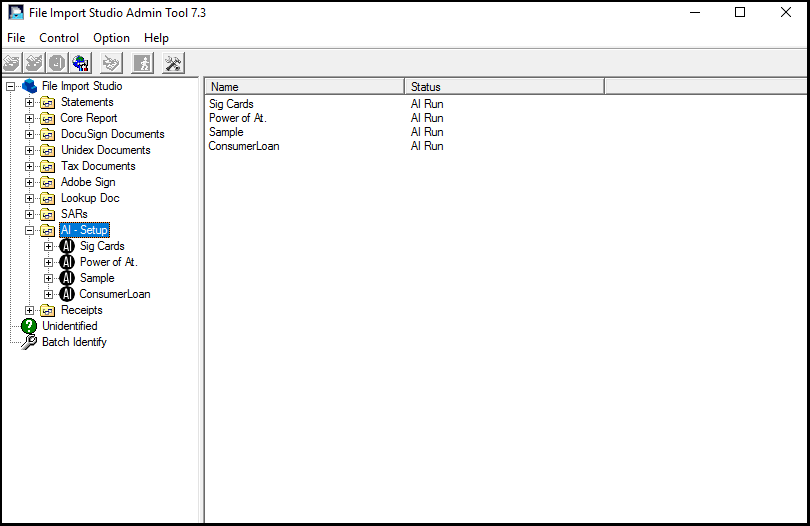
Regularly checking the exceptions folder in FASTdocs keeps staff informed about documents that may require manual review.
Increase Productivity with Automated Document Classification
Interested in learning about automated document classification in FASTdocs? Request a personalized demo for your bank or credit union.
Contact us to get started and explore Alogent’s ECM solutions
Industry Paper: Harnessing the Power of AI Classification in Document Management
Be the first to know! Click below to follow us on LinkedIn for news and content updates!