

[Playbook] Smarter, Faster, More Secure Mobile Deposit Capture
Here’s the Situation: Today’s depositors expect flexibility, and mobile deposit remains a baseline feature for digital-first consumer and business banking. Financial institutions are turning to modernized mobile capture solutions to offer greater convenience, drive engagement, and expand access beyond the physical branch.
Unify, Alogent’s award winning enterprise deposit automation platform, supports remote deposit capture as part of a holistic approach to entire check processing landscape. Unify’s mobile deposit capabilities improve the account holder experience and deliver measurable value to financial institutions:
Here’s how it works in action:
Play #1 – Check Capture and Submission via Mobile App
A depositor launches the financial institution’s mobile app and selects the option to make a deposit.
Game Plan
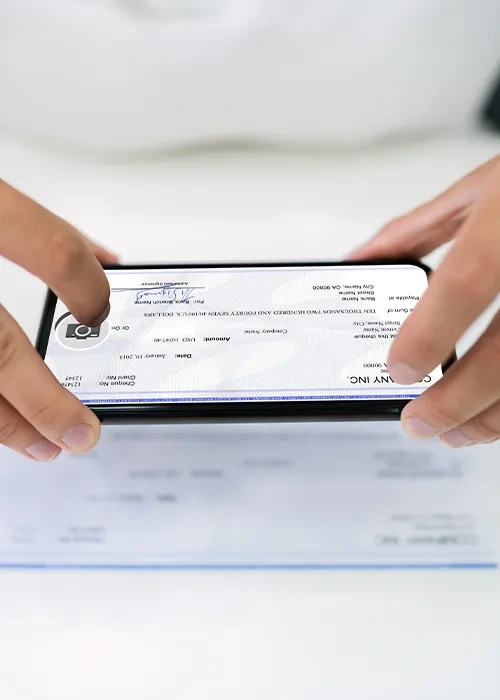
Step 1: The financial institution’s mobile app guides the user through capturing the front and back of the check and submitting the item. Once imaged, Unify begins processing the check and performing fraud validations:
- Image Validation: Unify evaluates the image against configured parameters as part of the recognition engine. Some examples include:
- MICR confidence
- Image dimensions and clarity
- Lightness/darkness thresholds
- Post- or stale-dating
- Restrictive endorsements
- Codeline Validation: Codeline values are assessed against the internal business rules engine. Common validation failures include:
- Illegible characters (e.g., "?" or other invalid characters in the MICR line)
- Partial or missing routing numbers
- Missing check numbers or dollar amounts
Step 2: If configured, Unify can initiate real-time web service calls to external fraud prevention tools during submission for additional risk mitigation.
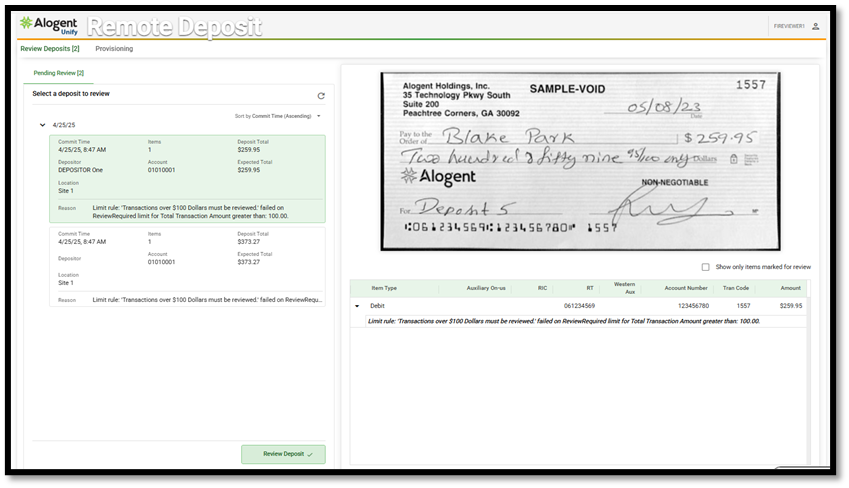
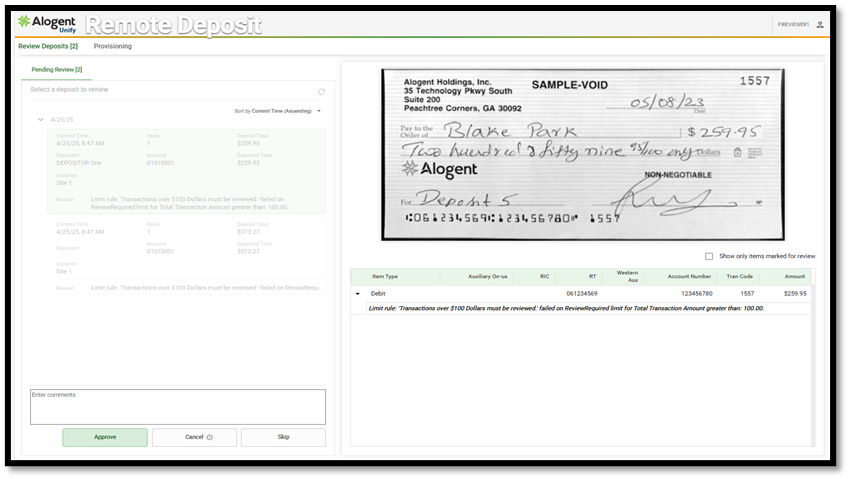
Step 3: Submitted items are assessed against pre-configured transaction limits. If a deposit exceeds customized thresholds, it can be flagged for review or automatically rejected based on the institution’s rules.
Play #2 – Posting in the Core
Transactions captured are posted to the core as soon as they are completed, pending the item’s review and acceptance. Depending on the capabilities of the core and mobile provider, posting can occur in real-time or as part of a scheduled batch process.
Game Plan
Step 1: Unify can initiate a connection to the core platform to post validated transactions in real-time. Users receive a status view detailing each item’s posting result, including any failures that require resubmission.
Step 2: For institutions leveraging batch workflows, Unify provides the ability to create a batch posting file that conforms to the specifications of the core. These can be generated automatically based on timing, deposit amounts, or item counts.
Explore More: Unify and the Future of Mobile Capture
Unify’s mobile deposit functionality is part of a broader deposit automation platform approach: one that also supports branch and teller capture, image-enabled ATMs and kiosks, merchant and corporate capture, and other remote deposit channels. Designed to meet the demands of modern banking environments, Unify enables institutions to centralize control, visibility, and reporting, while delivering a consistent experience across all points of capture. And, for those account holders leveraging mobile banking for commercial deposit, benefit from multi-check capture and built-in fraud mitigation.
Whether you're modernizing back-office operations or preparing to upgrade your mobile deposit experience for consumers or businesses with a more intuitive user interface, Unify provides the security and scalability needed to support today’s omni-channel expectations.
eBook: Remote Deposit Capture: Built for the Way Banking Works Now
Learn more about Unify’s remote Deposit capture Capabilities
Contact us to learn more: Schedule a demo or request pricing
Be the first to know! Click below to follow us on LinkedIn for news and content updates!