


[Playbook] Managing Security, Privacy, and Compliance in Your ECM
Here’s the situation: Your financial institution implemented FASTdocs as its enterprise content management (ECM) system. So far, you’ve been impressed with the system’s document classification capabilities, event-based workflows, and integration with other banking systems. Recently, your institution hired a new VP of Information Technology whose primary focus is security, privacy, and compliance. This article discusses folder-level and document-level controls in FASTdocs that will delight your VP of IT.
Play #1: Sharing & Controlling Access at the Folder Level
Documents in FASTdocs are organized into a logical, folder-based hierarchy. In addition to helping people find what they’re looking for, this format streamlines how information is shared with user groups—people with common access requirements, such as tellers, commercial lenders, and trust departments. Adding new hires to a teller user group in FASTdocs, for example, instantly provides them access to content for delivering front-line support. Staff who change positions can be moved to other user groups and access information for their new roles.
User group membership determines which FASTdocs folders may be accessed by staff. It’s important to note that there are two basic folder types in FASTdocs:
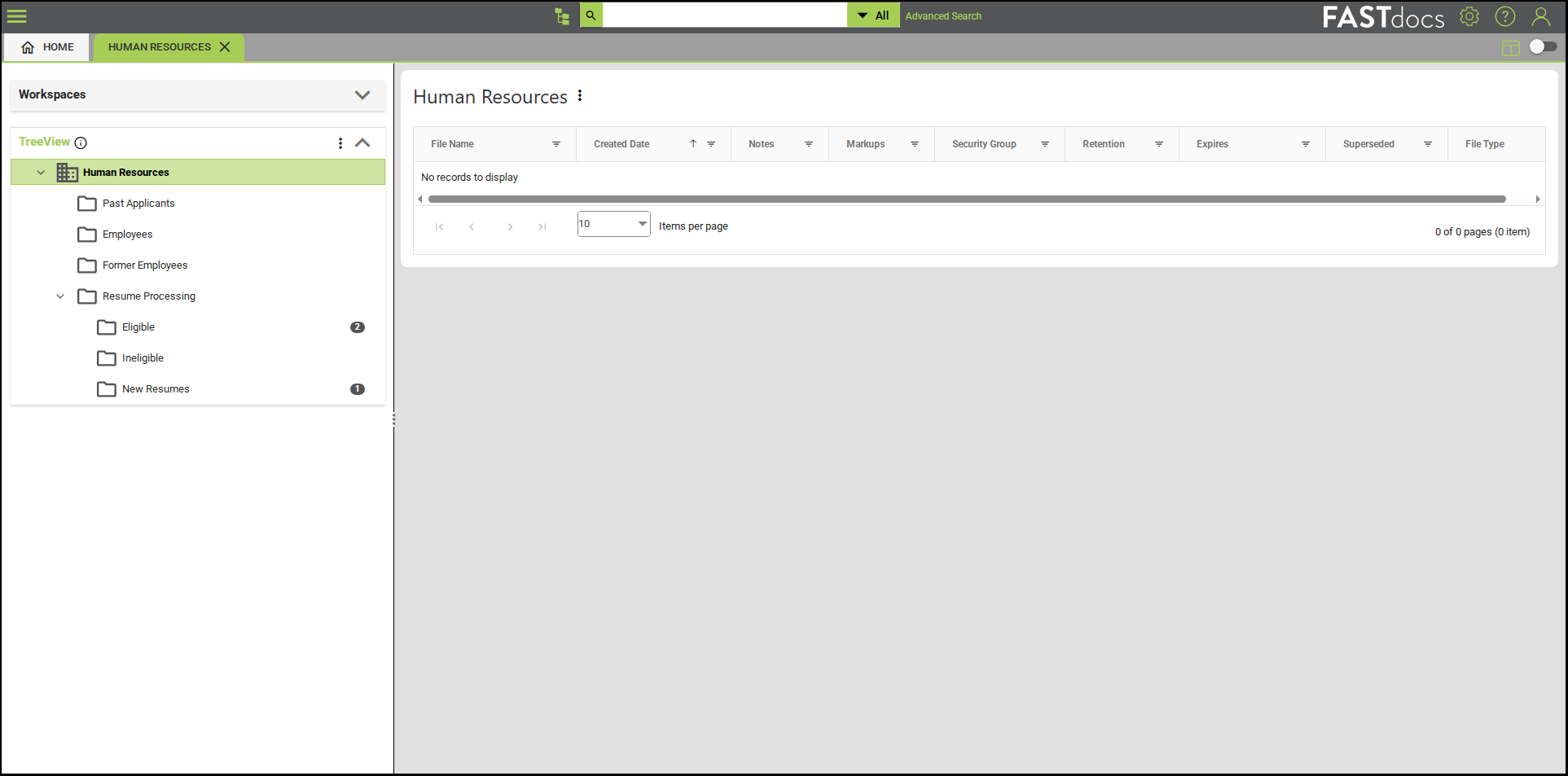
Departmental Folders: Also referred to as “single views,” these folders empower staff in accounting, human resources, marketing, customer success, and other departments with relevant documentation. Common use cases include storing and securely accessing policies, procedures, invoices, contracts, employee records, accounting reports, and other documents. Private information—such as the HR department’s resume archive—can be controlled to limit access to verified users.
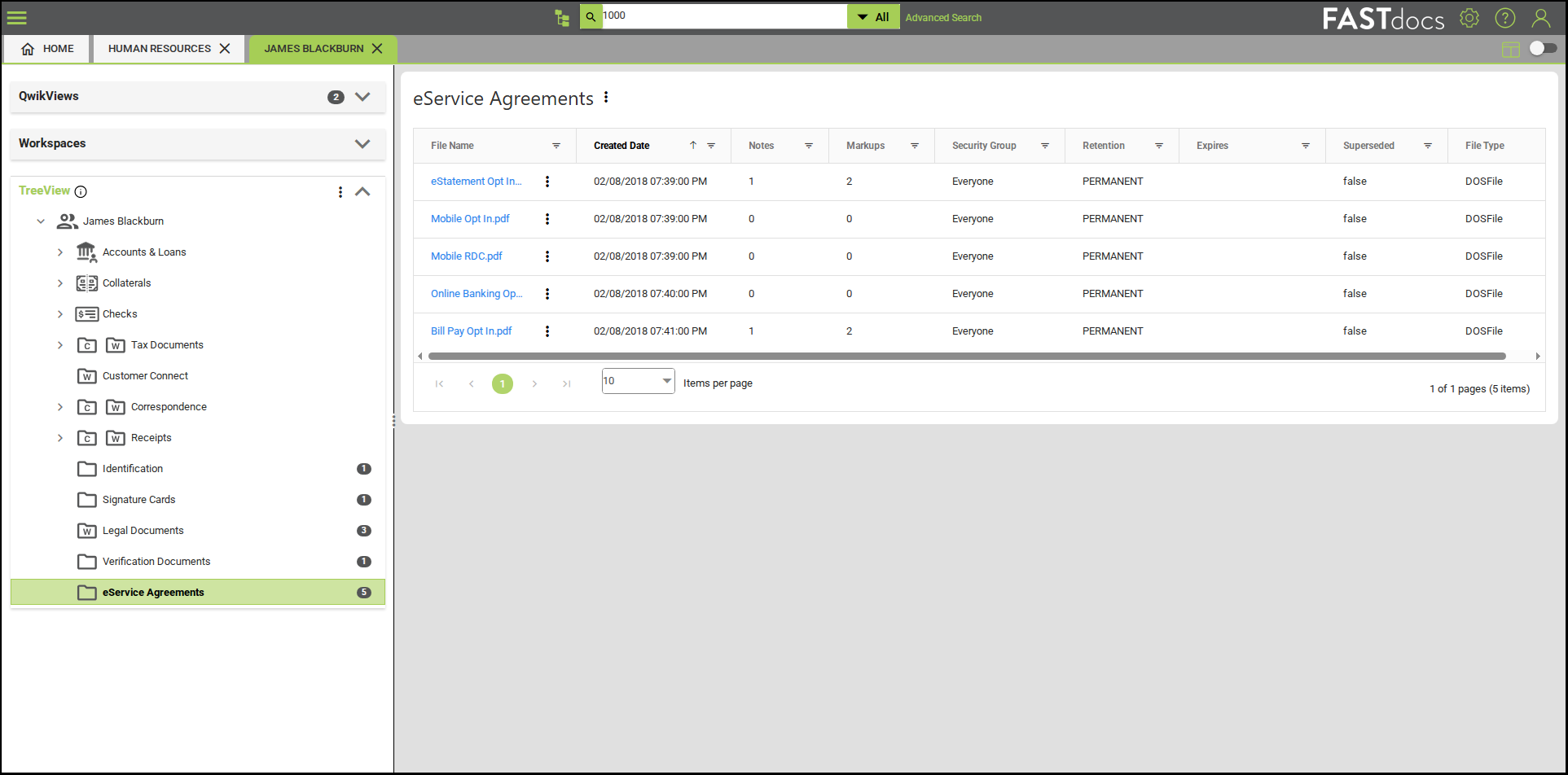
Customer / Member Folders: Customer (or member) folders in FASTdocs contain account holder documents, such as tax filings, loan agreements, driver’s licenses, and banking statements. With FASTdocs WebShare, financial institutions can enable a secure, two-way information exchange for designated folders—allowing account holders to share, view, download, and print documents through a digital banking integration.
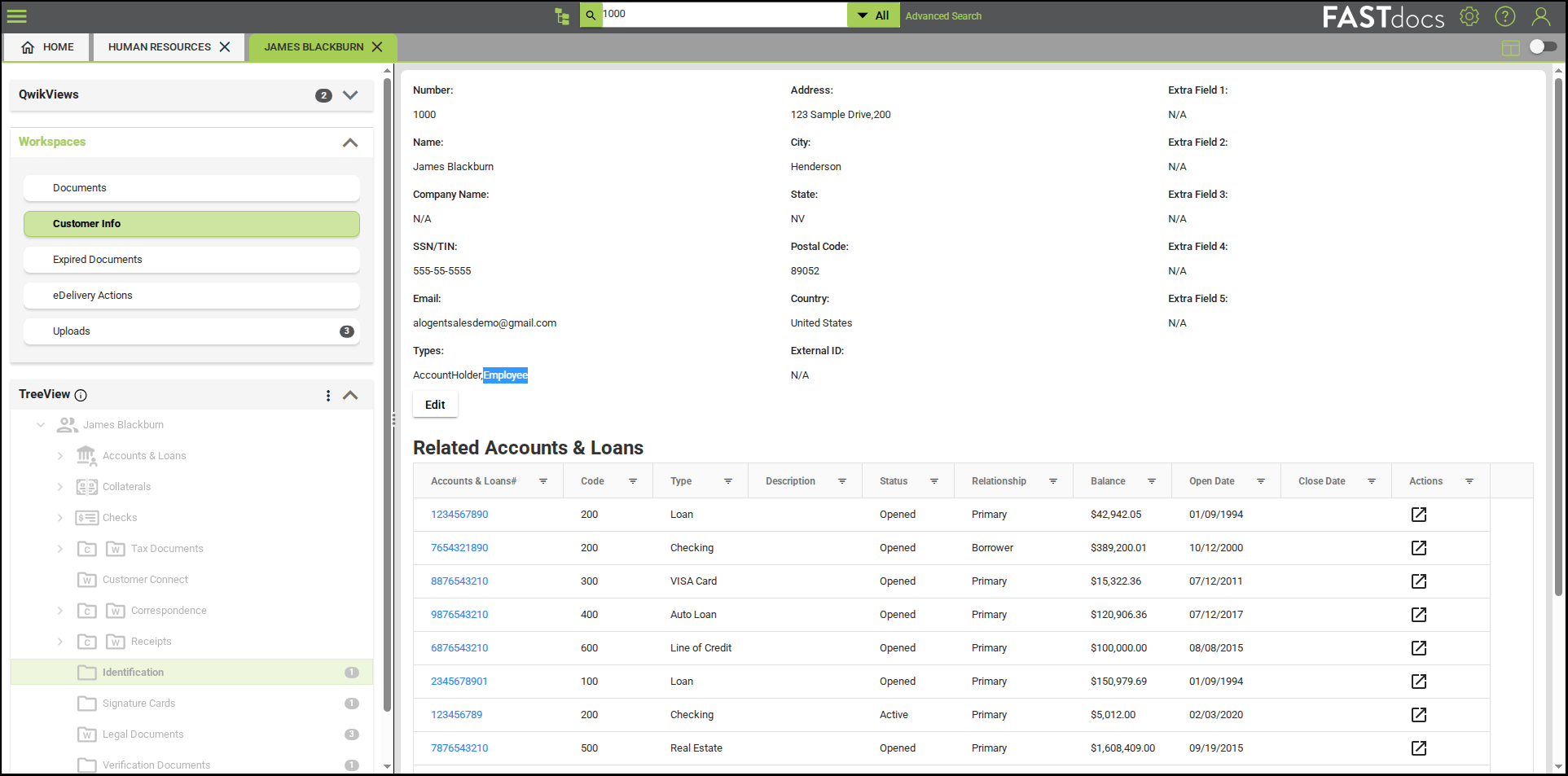
Employees who are customers or members can be designated in the system, ensuring sensitive employee information remains private.
Play #2: Leveraging Document-Specific Controls
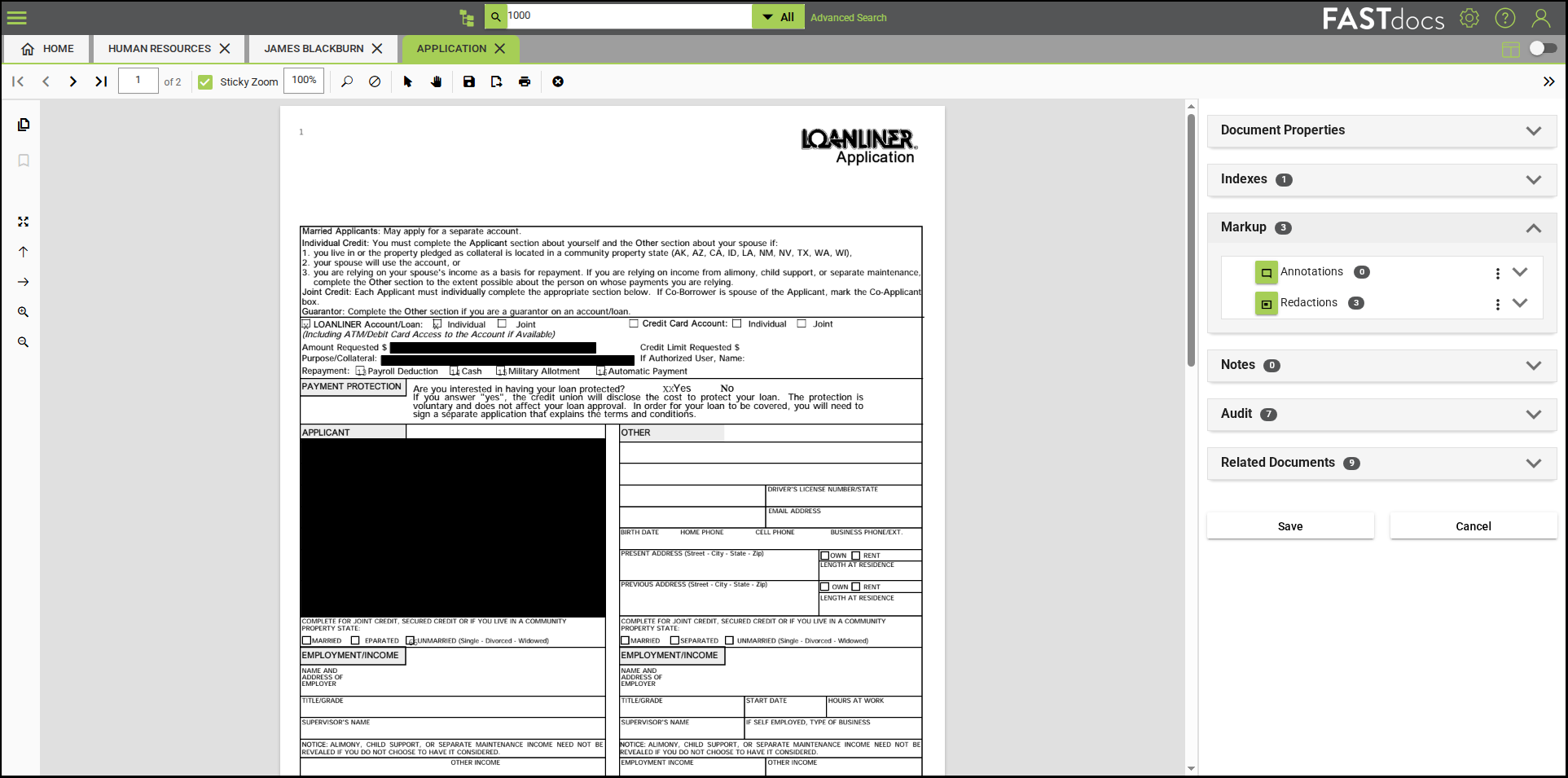
Access may be restricted at the document level in FASTdocs, such as employee performance evaluations that should only be seen by managers. Redacting information within documents offers additional control, such as when demographic information needs to be masked during the lending process.
See FASTdocs in Action
Interested in learning about document access controls in FASTdocs?
Contact us to request a personalized demo
Download a Free ECM Evaluation Checklist: Is Your Solution Keeping Up?
Be the first to know! Click below to follow us on LinkedIn for news and content updates!