


[Playbook] Using Flex Fields in AccuAccount
Here’s the situation: Your financial institution uses AccuAccount to manage credit, loan, deposit, and trust documents. Connecting AccuAccount to your core has streamlined many post-booking workflows, but now you’re looking for an even more complete view of each relationship. You’ve heard about flex fields—custom data fields in AccuAccount—that make it possible to capture credit scores, NAICS codes, maturity and payoff dates, flood zone details, appraised values, dates of death, and other important information.
This article shares two “plays” for using flex fields in AccuAccount.
Play #1: Keying in Flex Field Data
Creating a new flex field in AccuAccount is fast and easy. Once created, users with proper permissions can begin capturing relevant data.
Here’s the Game Plan
Step 1: Ask your system administrator to navigate to “flex field maintenance” in AccuAccount and create the desired field(s). AccuAccount offers a variety of data type options, including:
- Boolean
- Currency
- Date/time
- Text
- Decimal
- Choice list
In the following example, we’ve created a drop-down field to collect annual review details.
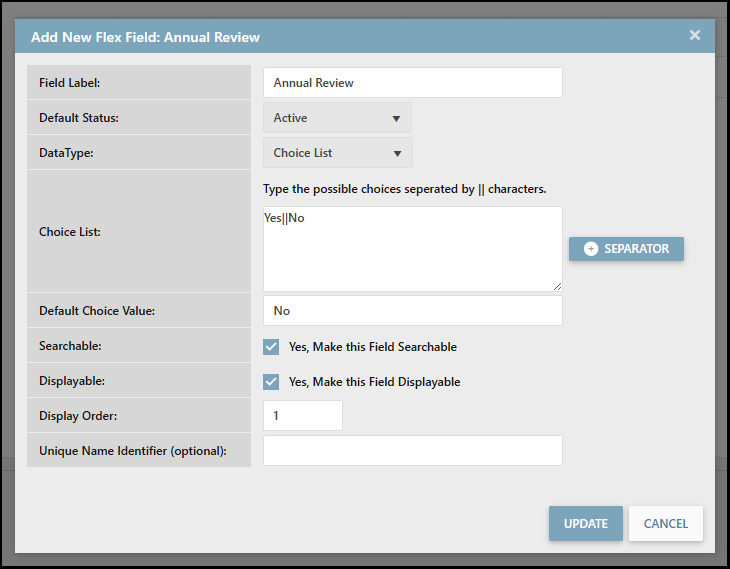
Step 2: Users with appropriate permissions can update the flex field upon completion of a customer’s annual review.

Play #2: Automatically Importing Flex Field Data
Manual data entry works well for handling one-off situations, but automatically importing information into flex fields unlocks additional efficiency. Contact us to discuss Alogent’s interface capabilities.
Here’s the Game Plan
Step 1: Work with Alogent to build an interface and determine which data should be brought into AccuAccount. New flex fields will need to be created in AccuAccount (as outlined in step one of the first play).
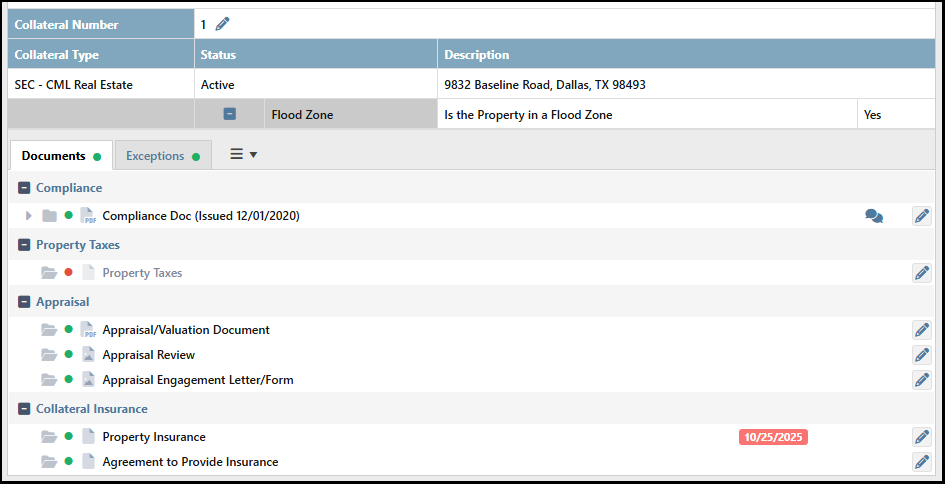
Step 2: Once the data interface is enabled, information will flow from your source system to the mapped field in AccuAccount. In the following example, we’re capturing flood zone data for collaterals.
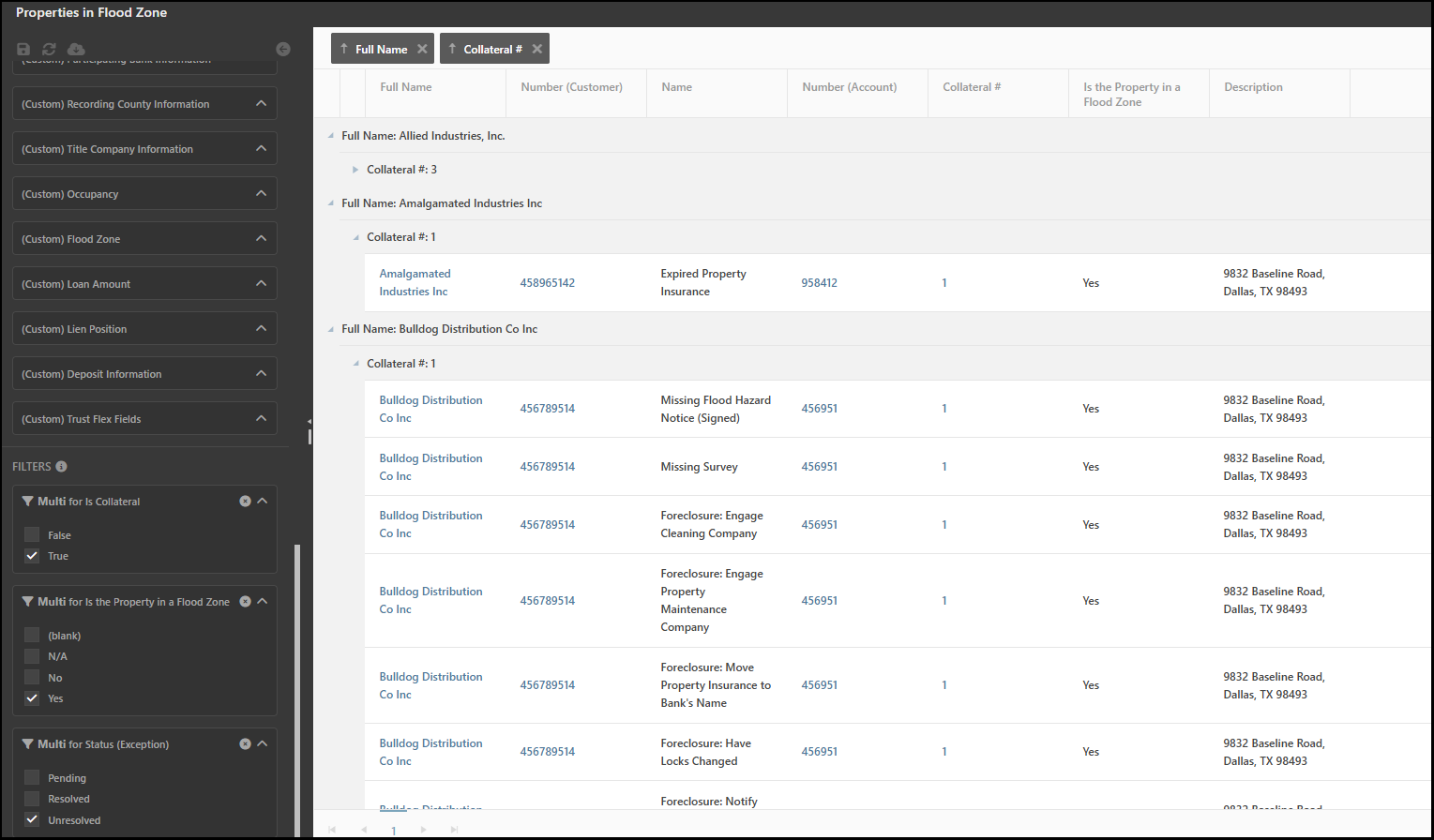
Step 3: Bringing data into flex fields elevates the impact of Dynamic Reporting for AccuAccount. In addition to standard data fields like customer name and loan officer, flex fields provide greater context for reporting.
Learn More about Flex Fields
Contact Alogent to schedule a personalized demo of AccuAccount, Alogent’s enterprise content management (ECM) system that’s optimized for commercial lending.
Download: AccuAccount Feature Overview
watch: accuaccount, the life of the loan
Be the first to know! Click below to follow us on LinkedIn for news and content updates!